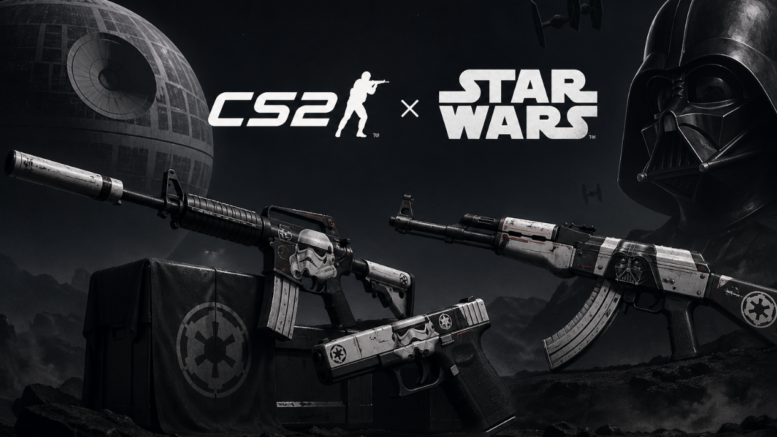
Have you ever thought about how awesome it would be if you could jump into the game as a Jedi or a Sith? You’re totally not the only one who has had this thought. I mean, who wouldn’t want the thrilling world of Star Wars to mix with the super quick gameplay of CS2? But since there aren’t any official Star Wars skins in the game, the fans have come up with some pretty cool creative ways to make this fantasy real through mods and visual customization.
This tutorial is all about showing you the ways to acquire Star Wars skins in CS2, how to increase their visibility, and how to make your whole gaming experience so cool and immersive.
Making CS2 Feel Like Star Wars with the Right Setup
Before you even consider skins and other cosmetics, you should first try to understand how your on game setup changes your play experience. Probably one of the most neglected features in CS2 is the view mode 2. This option controls how your weapon looks to you, including its size, position on screen, and how it moves.
Imagine that you are using a Star Wars themed skin mod, then changing your view model can be a massive step. By making the weapon your character carries appear a bit bigger or moving it a little towards the middle, the skin details like lightsabers and blasters, inspired glowing effects, or custom textures will be more visible. A properly set up viewmodel in CS2 changes your mod from just a remote cosmetic change to something that actually lives and breathes.
Here is one way to put it: when you get a special skin, the least you expect is actually to see it in game. One way to do a lot is to change your view model so that your Star Wars theme is always the main thing, which also means that you get immersed each time you join a match.
What Are Star Wars Skins in CS2?
Star Wars skins in CS2 are community created modifications to the game’s visuals that replace the default weapon looks with Star Wars themed designs. These are unofficial products, but they can be very detailed and well made.
Normally, the themes are something like:
- Knives that look like lightsabers and whose blades light up
- Rifles that are based on blasters, the kind of sci fi weapons you see
- Color schemes for the dark side and the light side
- Decorative patterns of characters, for instance, Darth Vader or Stormtroopers
You can mod these skins through modding instruments or game files that you can obtain from the community, so that you can stretch your customization to the limits.
How to Install Star Wars Skins
Swapping your weapon skins with the Star Wars ones in CS2 is fairly simple; only a little bit of work is needed. Here is a very easy step by step guide for you:
1. Find a Reliable Mod Source
First, look for a few community sites with a good reputation and that are reliable for providing high quality CS2 skin mods. Also, double check that the skin files you want are highly rated and popular among other players.
2. Download the Skin Files
After you find a design you like and want to go with, download the skin files. In most cases, these files would be texture replacements or different model versions.
3. Use a Mod Tool or Manual Installation
Based on the file type, you might be able to:
- Use a mod manager software for a more convenient installation
- Manually drop the files in the designated CS2 folders
4. Launch and Test
Run the game and double check if the skin you have appears correctly. If you did all the steps correctly, then your weapon(s) should be transformed into Star Wars themed ones.
Tips to Make Your Skin Look Even Better
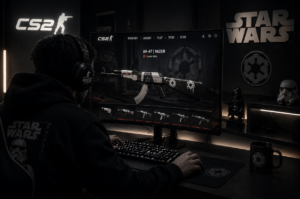
Installing the skin is only the first step. To fully appreciate it, you should also enhance its appearance in the game.
For example, you could:
- Tweak your viewmodel settings: By doing this, you bring the weapon closer to the screen, and therefore, the details will be more noticeable.
- Upgrade to a higher graphics level: Better textures and lighting go a long way in giving the sci fi look a more realistic feel
- Pick maps with contrasting colors: Bright or neutral environments make glowing effects stand out
- Try out different fields of view: This can significantly alter how your weapon feels in terms of the level of immersion
These minor adjustments can make your gameplay go from regular to movie like.
Popular Star Wars Skin Ideas
Here are some ideas that have become quite popular among the community:
- Lightsaber Knife: A brilliantly lit blade that becomes your weapon of choice, different colors like blue, red, or green are also possible
- Stormtrooper Rifle: White textures inspired by the armor of stormtroopers, combined with futuristic details
- Sith Style AK: The overall mood should be dar,k reinforced with red element,s to radiate power and menace
- Jedi Energy Weapons: Light, exquisite designs with continuous glowing patterns
All of these add a touch of character to your gameplay and set you apart.
Why Players Love Star Wars Mods in CS2
There’s a certain magic when two legendary universes collide. On the one hand, CS2 offers thrilling, competitive gaming experiences, and on the other, Star Wars provides escapism and iconic characters that have shaped generations.
Gamers have a lot of reasons for their fascination with Star Wars mods:
- They keep the game enjoyable and exciting.
- They inspire artistic talent and self expression.
- They bring along extra joy besides just fighting.
- They visually heighten the game’s ambiance.
And while they are only changing the characters’ outer appearance, they can drastically alter the game’s vibe from one moment to the next.
FAQ
1. Is it possible to use Star Wars skins in official CS2 games?
Skin mods with Star Wars themes are generally client side visual modifications only i.e. only you will see them during the game. They don’t replace official game skins but are great for personalizing and immersing yourself as you play.
2. What are some ways to make my Star Wars skins stand out more during the game?
One of the methods is to change your viewmodel in CS2 so that your weapon is closer and more at the center of the screen. Also use higher graphics settings and a good field of view so that your Star Wars styled weapons will be much more easily noticed by others during play.
3. Where do I find skins to personalize my CS2 gameplay?
To get Star Wars-themed skins, you will have to look in background communities for mod sites that have custom designs. In case you want official CS2 skins for your look, places like Tradeit are really good choices where players can buy, sell, and trade a large variety of items for a stylish in game presence.